This is for those who may want to load a video onto their iPad with iTunes that isn't in the correct format. I needed to do this because I was trying to put an iTunes University video on my iPad a couple days ago and iTunes complained that it wasn't in the correct format for the iPad. I'm not sure exactly how that could be but I decided to take the opportunity to see if I could use HandBrake to easily convert it to an iPad friendly format. There is currently no pre-loaded iPad configuration for HandBrake like there is for the iPhone and iPod Touch so I created a few profiles that can easily be imported into HandBrake to output different sizes for the iPad:
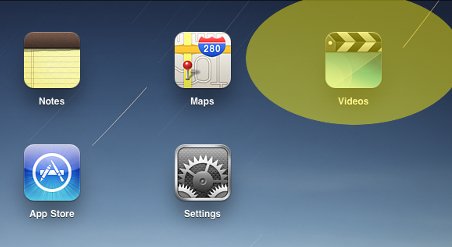
Note that when you import videos using iTunes the iPad puts them in their own Videos app unlike the iPhone where they show up under the iPod app. You will want to find the Videos icon if you don't already know where it is:

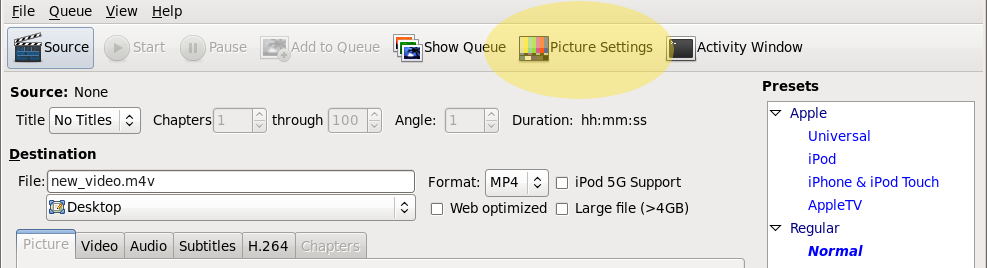
After verifying that the above 4×3 version worked for the iTunes University video I went about testing it on a couple other video formats. I tested the Big Buck Bunny video that I also used for my post on iPad video streaming in both 640×360 and 1024×576 output formats. Both resolutions looked great. I also tried converting a DVD. If you decide to convert a DVD you will probably want to turn on de-interlacing in HandBrake. You do that by first selecting the "Picture Settings" option:
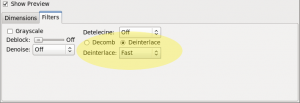
Then the filters tab and then select the type of de-interlace you want (fast, slow, slowest):
If you want to use FFMpeg to do all this you can. The following is a slightly modified version of the streaming command I'm using that will output a high bitrate version of the input video:
ffmpeg -y -i input.avi -acodec aac -ar 48000 -ab 128k -ac 2 -s 1024x768 -vcodec libx264 -b 1200k -flags +loop+mv4 -cmp 256 -partitions +parti4x4+partp8x8+partb8x8 -subq 7 -trellis 1 -refs 5 -coder 0 -me_range 16 -keyint_min 25 -sc_threshold 40 -i_qfactor 0.71 -bt 1200k -maxrate 1200k -bufsize 1200k -rc_eq 'blurCplx^(1-qComp)' -qcomp 0.6 -qmin 10 -qmax 51 -qdiff 4 -level 30 -aspect 16:9 -r 30 -g 90 -async 2 output.mp4